
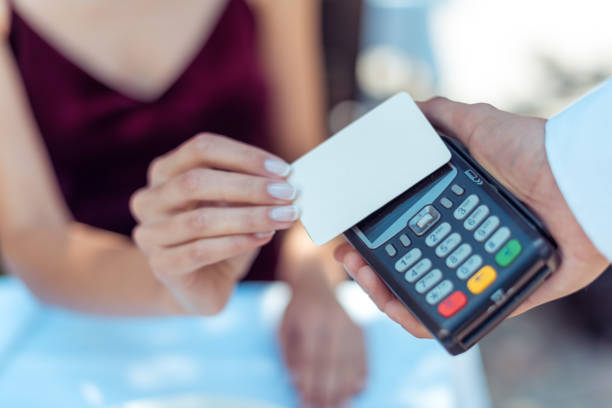
Imagine handing someone your business card, and instead of a flimsy piece of paper that ends up at the bottom of a drawer, they receive an interactive, clickable experience that links directly to your portfolio, LinkedIn profile, and contact form — all in one tap. That’s the power of a professional digital business card, and it’s changing the way people network in the modern world.
Whether you’re a freelancer, entrepreneur, corporate professional, or creative, a digital business card isn’t just a trend — it’s quickly becoming a networking essential. The best part? You don’t need to be a tech wizard to create one. In this guide, we’ll walk you through everything you need to know to build a digital business card that leaves a lasting impression.
What Is a Digital Business Card?
A digital business card is an electronic version of a traditional paper card that you can share via a link, QR code, NFC tap, or even through social media. Unlike its paper counterpart, it’s dynamic — meaning you can update your information anytime without reprinting hundreds of cards. It can include your name, job title, company, phone number, email, website, social media profiles, photos, videos, and more. Think of it as a mini personal landing page that fits right in someone’s pocket. Platforms like HiHello, Blinq, Popl, and Linq are among the most popular tools available today for creating stunning digital cards quickly and professionally.
Why Should You Switch to a Digital Business Card?
The world is going paperless, and networking is no exception. A digital business card is eco-friendly, cost-effective, and far more versatile than paper cards. You can share it instantly via text, email, WhatsApp, or even a QR code scan — no physical contact required. It’s also far more memorable. When someone receives a beautifully designed interactive card with a clickable portfolio or embedded video intro, the impression sticks. Beyond aesthetics, digital cards are trackable — some platforms let you see who viewed your card, when, and how many times. For sales professionals and business owners, this kind of data is invaluable for following up with leads strategically.
Choose the Right Platform for Your Needs
Before you start designing, you need to pick the right platform. Your choice will depend on your budget, technical comfort level, and what features matter most to you. Here are a few popular options worth exploring:
HiHello is beginner-friendly and offers a free tier with clean templates. Blinq is great for teams and corporate use. Popl integrates with NFC-enabled physical products like wristbands and phone cases. Canva allows you to design a visually striking card and export it as a shareable image or PDF. Linq focuses on analytics and integrations with CRM tools like HubSpot and Salesforce. If you’re a developer or want total creative control, you can even build your own digital card using a personal website via platforms like Wix, Squarespace, or a custom HTML page.
Define Your Purpose and Audience
Before you type in a single detail, ask yourself: who is this card for? A creative professional networking at a design conference needs a different card than a financial advisor attending a corporate summit. Your digital business card should speak directly to your target audience. If you’re in a creative field, prioritize visual elements, a portfolio link, and a bold design. If you’re in finance or law, keep it clean, professional, and information-focused. Defining your goal also helps — are you trying to gain new clients, build partnerships, or simply make it easier for people to contact you? Clarity of purpose shapes every design and content decision that follows, ensuring your card works hard even when you’re not in the room.
Gather All the Essential Information
A great digital business card strikes a balance between being informative and clean. Here’s a checklist of what you might include:
Your full name and professional title are non-negotiables. Add your company name and logo if applicable. Include a professional profile photo — people connect with faces. Your phone number, email address, and website URL are must-haves. Beyond that, think about which social media profiles are most relevant — LinkedIn for B2B, Instagram for creatives, Twitter/X for thought leaders. You might also add a short bio or tagline, a portfolio link, a calendar booking link (like Calendly), or even a short video introduction. The key is not to overwhelm — only include what genuinely adds value to your specific audience. A cluttered card is just as ineffective as an empty one.
Design Your Card for Maximum Impact
Design is where your digital card either soars or falls flat. Even if your content is excellent, poor visual presentation will undermine your professionalism. Here’s how to design with intention:
Start with a consistent color palette that matches your personal brand or company branding. Use no more than two to three colors to keep things cohesive. Choose clean, readable fonts — avoid anything overly decorative that reduces legibility. Give your profile photo a prominent but tasteful placement. Use white space generously; it makes your card look polished rather than packed. If you’re using a tool like Canva or Adobe Express, explore their professional templates as a starting point and customize from there. Remember, your card represents you at first glance — it should feel like a natural extension of your personal or brand identity, not a generic template pulled straight from a free tool.
Add Interactive and Dynamic Elements
Here’s where digital business cards truly shine over paper versions — interactivity. Unlike a static card, your digital version can do so much more. Embed clickable links to your website, portfolio, or specific landing pages. Add a “Save Contact” button so recipients can add you to their phone with one tap. Include a QR code that links to your full digital profile. Some platforms even allow you to embed a short video message — imagine introducing yourself in 30 seconds before you’ve even met someone in person. You can also integrate social proof by linking to your LinkedIn recommendations or Google reviews. If your platform supports it, turn on analytics so you can track engagement and know exactly which contacts are actively exploring your card.
Optimize Your Card for Mobile Viewing
Since most people will view your digital business card on a smartphone, mobile optimization isn’t optional — it’s essential. Make sure your card layout is responsive, meaning it adapts beautifully to any screen size without things looking squished or misaligned. Test your card on multiple devices — iPhone, Android, tablet — before sharing it widely. Keep your text large enough to read without zooming. Make sure all buttons and links are easy to tap with a thumb, not just clickable with a precise mouse click. Load speed matters too — a card with too many heavy images or unoptimized media may frustrate users and cause them to abandon it before they even read your name. Tools like Google PageSpeed Insights can help if you’ve built your own card on a website.
Share Your Digital Business Card Strategically
Creating a stunning card is only half the job — knowing how and when to share it is equally important. There are several smart ways to distribute your digital business card effectively. Add the link to your email signature so every email you send becomes a networking opportunity. Share it in your LinkedIn bio and other social media profiles. Use the QR code at conferences, trade shows, or networking events — print it on a name badge, a presentation slide, or even a branded T-shirt. Send it via WhatsApp or text message right after meeting someone new. Some professionals use NFC-enabled cards or devices like a Popl dot on the back of their phone, which shares the card automatically when tapped to another smartphone. The more touchpoints you create, the more your card works for you passively.
Keep Your Card Updated and Maintained
One of the biggest advantages of a digital business card is that it’s never truly “finished” — and that’s a good thing. Update it whenever you change roles, companies, phone numbers, or add a new service. Keep your profile photo current and professional. Regularly check that all your links are still working, especially if you update your website or social media handles. If your platform includes analytics, review them periodically to see which elements are getting the most clicks and which might need improvement. Treat your digital card like a living document that evolves with your career. Setting a reminder every three to six months to audit and refresh your card ensures it always represents the best, most current version of your professional self.
Common Mistakes to Avoid
Even the most well-intentioned digital business card can miss the mark if a few common pitfalls aren’t avoided. Don’t include too much information — overwhelming recipients is just as bad as sharing nothing at all. Avoid low-quality or unprofessional profile photos — blurry or overly casual images undermine credibility instantly. Don’t skip a call to action — tell people what you want them to do next, whether that’s visiting your website, booking a call, or sending an email. Avoid inconsistent branding — your card should match your website, LinkedIn, and other professional touchpoints. Finally, don’t create a card and forget about it. An outdated card with broken links or old contact details is worse than no card at all, as it creates a negative impression and frustrates potential connections.
FAQ: Making a Professional Digital Business Card
Q1: Are digital business cards free to create? Many platforms like HiHello, Canva, and Blinq offer free tiers with basic features. Paid plans typically unlock advanced customization, analytics, team management, and integrations. For most individual professionals, a free plan is a solid starting point.
Q2: Can I use a digital business card without a smartphone? Yes! Most digital business cards exist as a web link, so they can be opened on any device with a browser — smartphones, tablets, laptops, and desktops. The QR code sharing method works best with smartphones, but a simple link is universally accessible.
Q3: Is a digital business card better than a paper one? For most modern networking scenarios, yes. Digital cards are eco-friendly, easier to update, infinitely shareable, and more feature-rich. That said, some industries and cultures still value physical cards, so it’s worth having both depending on your context.
Q4: How do I share my digital business card at an in-person event? You can display your QR code on your phone screen, use an NFC-enabled device or card, include the QR code on printed materials like name tags, or simply send the link via text or messaging app right after meeting someone.
Q5: What information should I always include on a digital business card? At minimum, include your full name, professional title, company name, phone number, email address, and one or two relevant social media profiles. A professional photo and a direct link to your website or portfolio are also strongly recommended.
Q6: Can I create a digital business card on Canva? Absolutely. Canva offers a range of business card templates that you can customize and then share as a PDF, image, or link. While Canva doesn’t offer the dynamic features of dedicated platforms like HiHello or Popl, it’s an excellent choice for visually-driven professionals who want full design control.


